
Textile Job Portal offers a simple but effective applicant management system. This not only helps in hiring the best-fit candidate but also saves a lot of your time.
In this centralized platform, you can view all the applicants who have applied to your job posting. You can browse their profiles, approve or reject their applications, download their resumes, schedule meetings and interviews, view the job posts they have applied for, and more.
This platform offers a range of features that can help you manage your recruitment process more efficiently and effectively.
Follow the below steps to manage applicants.
- Login to your account and go to the dashboard.
- On the left sidebar, click on the “applicants” tab.
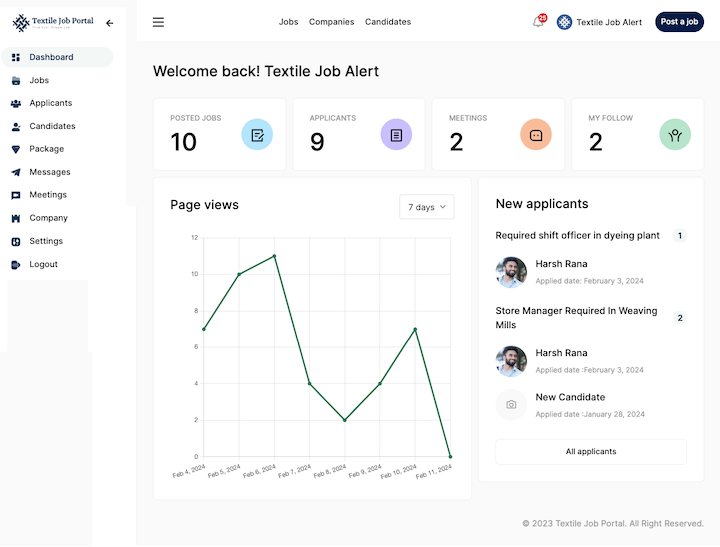
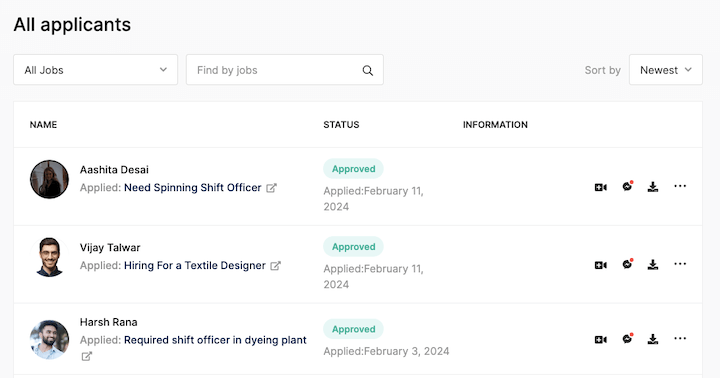
After clicking on the applicant option, you are redirected to the applicant page. here, you can see all the candidate lists that apply to your job post. Apart from this, you can see the candidate profile image, candidate name, and the post title they applied for.
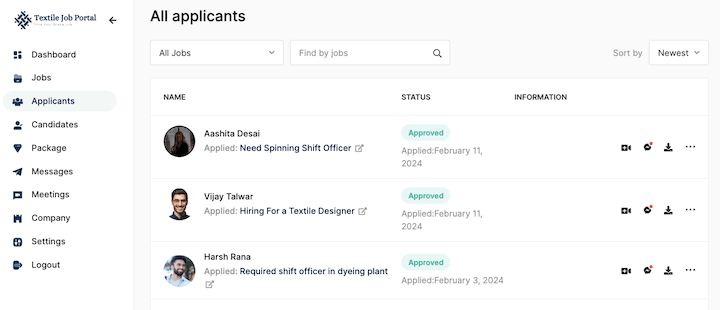
Job title filter
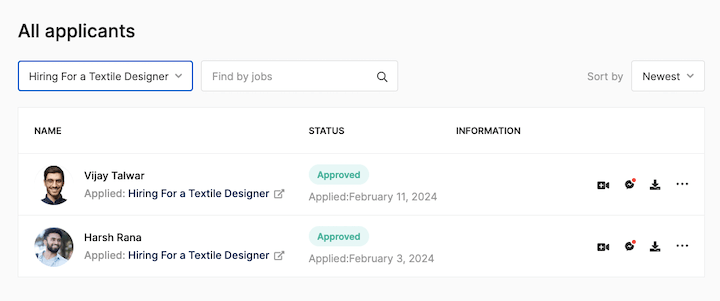
Employers can search and find the candidate using our most advanced three filters. By default, the first filter is always set to “all jobs” to see all applicants’ lists, but you can click and change the filter to a particular job post and see the candidate that only applied for that post.
In the image below, we selected the job post “Hiring for a textile designer.”Here is the result. Two candidates have applied for this job.
Search bar
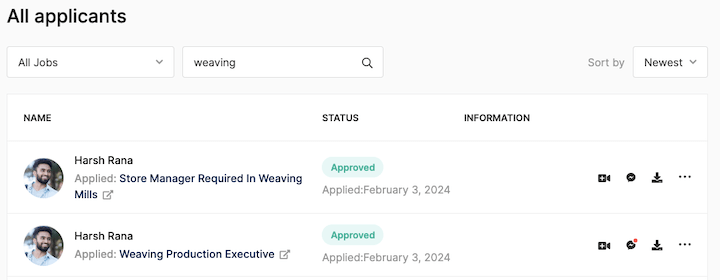
Employers can find candidates by entering a job title or focus keyword and clicking the search icon in the search bar. In the image below, we search the keyword “Weaving.”
Here is the result.
Sort by Filter
Last, by sorting job applicants through filters, employers can easily arrange candidates based on their application dates, either from newest to oldest or vice versa.
For instance, if we select the newest filter, we’ll obtain a list of all the candidates who have recently applied for the job. This makes it easy for employers to keep track of the most recent applicants and their application details.
How do you approve or reject a candidate?
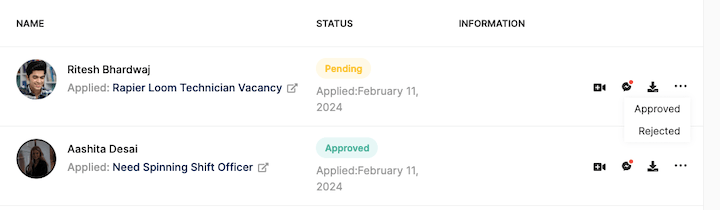
Employers/companies can approve or reject the candidate with a single click. When candidates apply for a job, their profile is added to the pending list.
Once an employer reviews the profile and decides to hire or reject the candidate, they can click on the three-dot option and take the necessary action.”
When you approve the candidate’s application, an email is sent to the applicant that this company approve your application for this job title. Further, you can schedule and send the meeting to candidates for interview.
You can also message the applicant by clicking on the message icon.
I hope this guide finds you well. If you have any queries, please get in touch with us at company@textilejobportal.com. We are happy to help you.