On the textile job portal, employers can rate candidates on their profile page by writing a review or giving a star rating. It is helpful for candidates to build authority and receive feedback from companies after they leave or even while working in the organisation.
Additionally, companies must provide ratings for their employees based on their behaviour, performance, and overall nature. On the textile job portal, you can rate candidates from a range of 0 to 5 stars, with 0 being the worst and 5 being the best.
Terms and conditions for submitting reviews:
Employers must follow specific guidelines while rating candidates to ensure no harm is caused and maintain a clean and fair platform.
Accuracy:
Reviews must accurately portray the candidate’s interaction with the company, encompassing their work environment, cultural dynamics, managerial interactions, and potential for career advancement.
Non-Discriminatory Language:
Reviews should steer clear of any discriminatory language based on factors such as race, gender, religion, nationality, disability, age, or any other legally protected characteristic.
Privacy Consideration:
Respect for individual privacy is paramount. Personal information should only be mentioned if necessary for contextual understanding.
Content Ownership:
Upon submission, reviews become the property of the website and may be utilized for promotional or informational purposes.
Moderation and Removal:
The website retains the authority to moderate, amend, or remove any review that violates these terms and conditions without prior notification.
No Spam or Promotional Material:
Reviews should refrain from including promotional content, spam, or links to external websites.
Verification:
The website reserves the right to verify the authenticity of reviews and undertake appropriate measures if fraudulent activity is suspected.
How to rate candidates
To give a rating to a candidate or write a review of their profile, follow the given steps.
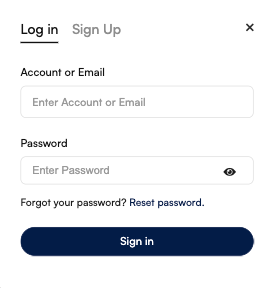
- Login to your account (To rate a candidate profile employer must have an account on the Textile Job Portal if you don’t have an account, we recommend checking out this guide–“How to create an employer account on Textile Job Portal”)
- After logging in to your account, go to the main menu in the header where you can see the jobs, candidates, and companies options, click on the candidate option.

- After clicking on the candidate’s option, you will be taken to the “All Candidates” page to view all the listed candidates.
- Select the candidate that you wish to rate.
- You can easily find a candidate by using filters on the textile job portal.
- If you need help using the filters to find candidates, we have a complete guide available for you.

- Once you have found the candidate you want to rate, click on their candidate card.
- This will take you to their candidate profile where you can view all their details, including education, work experience, skills, salary, job title, department, location, and more.
- As you scroll down the page, you will come across a review section, which is illustrated in the image below.

- On this platform, you have the option to review and rate a candidate. Ratings range from 0 to 5 stars, with 0 being the worst and 5 being the best.
- To write a review, simply choose a rating, type in your review in the provided box, and click on the “submit review” button.
- Your review will be successfully published on the candidate’s page.
- If anyone visits the candidate’s profile, they will be able to see your review on the page.

I hope this tutorial finds you well. If you have any questions, feel free to leave them in the comment section below or contact us at company@textilejobportal.com.