
To publish a job post, you must first register your company. If your company isn’t registered yet, follow this guide.
Let’s learn how to publish a job post if you’ve already registered your company as per our previous guide.
Login Account
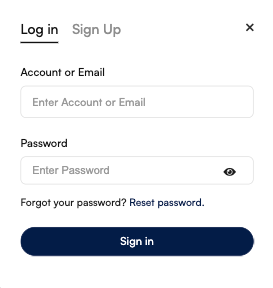
- Sign in on the Textile Job Portal with your email/username and password.
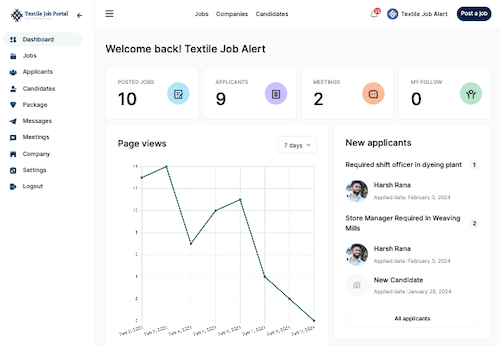
- After login, you will be successfully redirected to the Employer Dashboard.
- Click on the “Post a Job” button in the main header section.
You will successfully reach the job posting page.
Basic Information
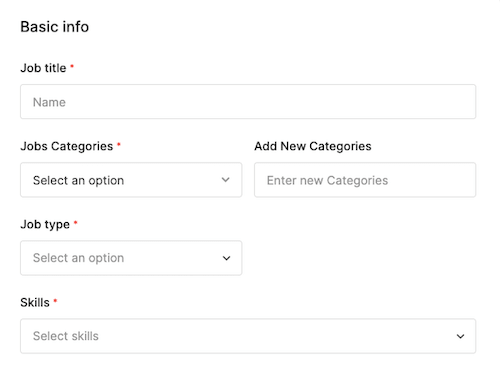
In the basic information, you have to enter the job title, job type, department, career level, job description, skills, experience, qualifications, gender, etc.
Let us understand one by one.
- Job title: this is the main title of the job notification like the heading of your job post for example “Need weaving production executive” “Textile designer vacancy” or [company name] hiring dyeing shift officer, etc.
- Job category: The job category refers to the company department. From the dropdown list, select the department for which you are posting the job notification i.e. weaving, dyeing, PPC, spinning, etc.
- Job type: You can select the job type from the dropdown list whether the job is full-time, part-time, contractual basis, freelance, or work from home.
- Skill: If any special skills are required from the candidate, then you can choose the skills from the dropdown list i.e. designing software like Penelope, Textronic, NedGraphics, Adobe, etc.
Advance Information
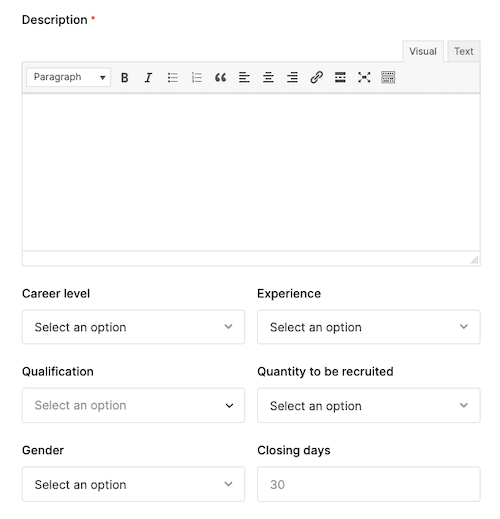
In this section, you have to enter your job notification in detail. like job overview, responsibilities, requirements, work culture, etc.
- Career level: choose the career level from the dropdown list that which one you want to hire. a fresher, experienced, trainee, intern, remote, etc.
- Experience: if you want to hire an experienced person, then select “years of experience” from the dropdown list.
- Qualifications: here you can choose the qualification.
- Quantity to be recruited: enter the total number of vacancies that you want to fill.
- Gender: choose gender if you want to hire only males, want to hire only females, or want to go for both.
- Closing days: enter the number of days you want to keep the notification open.
Salary Structure
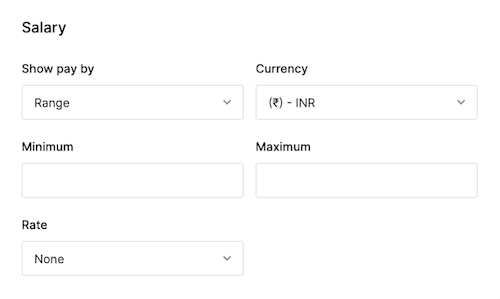
- Show pay by:- you can show your offered salary package in 4 different ways. 1.) by range 2.) by minimum salary, 3.) by maximum salary, and 4.) by negotiable price.
- Currency type:- select in which currency you want to pay your salary.
- Rate:- you can select the salary rate according to the company’s policy as you pay per hour, per day, per week, per month, and yearly salary.
Job Apply Type
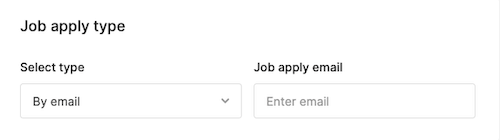
- Select how the candidates can apply for the jobs. Textile job Portal allows you to select any one of the four options. by email, internal apply, external apply, and by the call to apply. You can select according to your convenience.
Company Selection
- Based on our previous guide, I would like to remind you that the textile job portal allows you to register multiple companies. If you have registered more than one company, please ensure to select the appropriate one when hiring a candidate.

Job Location
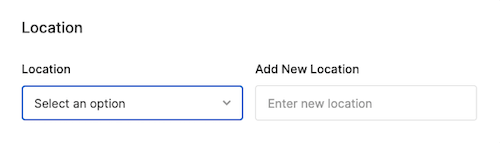
- Select the location from the dropdown list where you want to do the hiring.
- You can add a new location to your company if it’s not available in the dropdown.
Once you have entered all the necessary information, click on the “publish” button. Our team will review your job post and publish it. We strive to review and publish posts immediately, but in some cases, it may take up to 24 hours.