
Employers and candidates can follow each other on the textile job portal. Our centralized platform makes it easy for employers and candidates to manage their followers and following lists from a single place.
This tutorial will discuss how to manage your following and followers list on a textile job portal. You can view, edit, delete, or take relevant action from your dashboard.
How to manage the following list
To manage the following list on the textile job portal, follow the below steps.
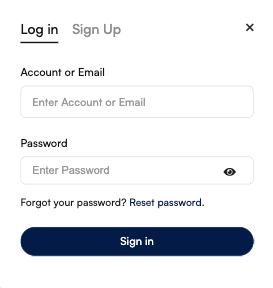
- Login to your account. (If you are a new user or have not created an account on the textile job portal, use this guide to help you create an account.)
- Hover over your name in the main header.
- Click on the dashboard option from the dropdown list.
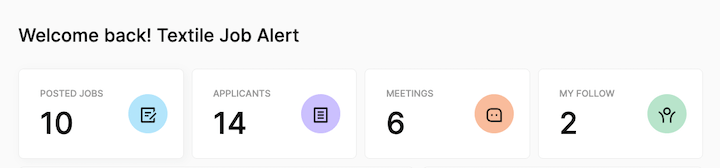
- Look for the “Quick Links” section and find the “My Follow” option.
- Click on it. This displays the number of profiles that you currently follow.
- In alternate, you can also click on the “candidate tab” from the left side main menu.
- Once you click on the candidate tab you will be reached at the page where you can manage all your followers, following and invitations.
- Here you can see the list of all the candidates you follow.

Find the following using the search bar
If you have a large list of your following, you can use the search bar and sorting filters to find specific candidates. Simply enter the name or a keyword of the candidate you’re looking for in the search bar and hit enter.
Alternatively, you can use the sort by filter to arrange the list from newest to oldest or oldest to newest.
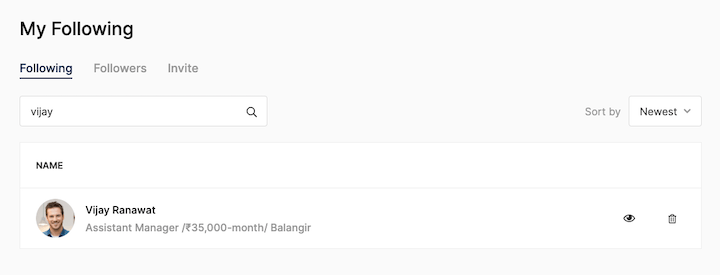
For instance, in the image below, I searched for a candidate named “Vijay” in the search bar and hit enter. As a result, only the candidate I was looking for appeared along with their designation, salary, and location.
How to view or delete a candidate from the following list.
To view a candidate’s profile or remove them from your following list, follow these steps.
- From your following list, select the candidate you want to view the profile.
- On the right-hand side you can see the “eye-icon”, click on it.
- You will be redirected to the candidate profile page.
- Similarly, if you want to remove a candidate from your following list, just hit the delete icon.
- You successfully unfollow that candidate and will be removed from your list.
How to manage the follower list
To manage the followers list on the textile job portal, follow the below steps.
- Login to your account and go to the dashboard.
- Click on the “Candidate tab” from the left side main menu.
- Once you click on the candidate tab you will be reached at the page where you can manage all your followers, following and invitations.
- Switch the tab to “Followers”.
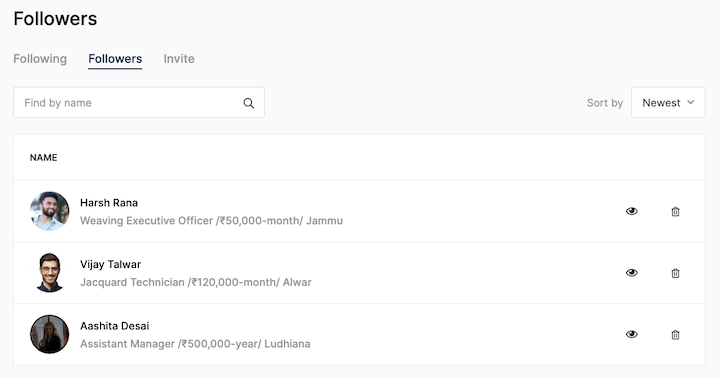
- You can view a list of all the candidates who are currently following you.
Find the followers using the search bar
If you have a large list of your followers, you can use the search bar and sorting filters to find specific candidates. Simply enter the name or a keyword of the candidate you’re looking for in the search bar and hit enter.
Alternatively, you can use the sort by filter to arrange the list from newest to oldest or oldest to newest.
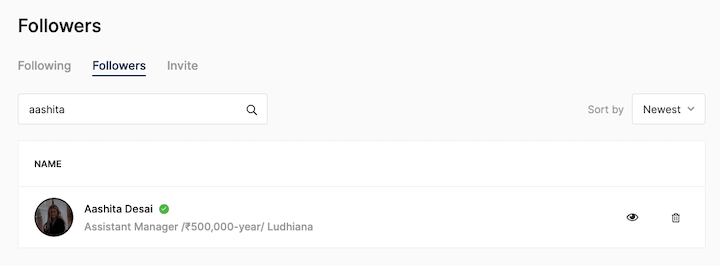
For instance, in the image below, I searched for a candidate named “Aashita” in the search bar and hit enter. As a result, only the candidate I was looking for appeared along with their designation, salary, and location.
How to view or delete a candidate from the followers list.
To view a candidate’s profile or remove them from your followers list, follow these steps.
- From your follower list, select the candidate you want to view the profile.
- On the right-hand side you can see the “eye-icon”, click on it.
- You will be redirected to the candidate profile page.
- Similarly, if you want to remove a candidate from your follower’s list, just hit the delete icon.
- The candidate will be removed from your list.
I hope this tutorial finds you well. If you have any questions, please don’t hesitate to reach out to us at company@textilejobportal.com or leave a comment below. We are always happy to assist you.