On the Textile Job Portal, candidates can follow their favourite companies to receive notifications when those companies post new job listings.
By following companies that match your interests, you can receive updates and stay informed about their latest news, events, and other important information.
On the main dashboard, you will find the “Quick Links” section. Currently, there are three companies we followed. By clicking on the link, you will be redirected to their respective pages. Alternatively, you can access them by clicking on the “My Following” option from the main menu.
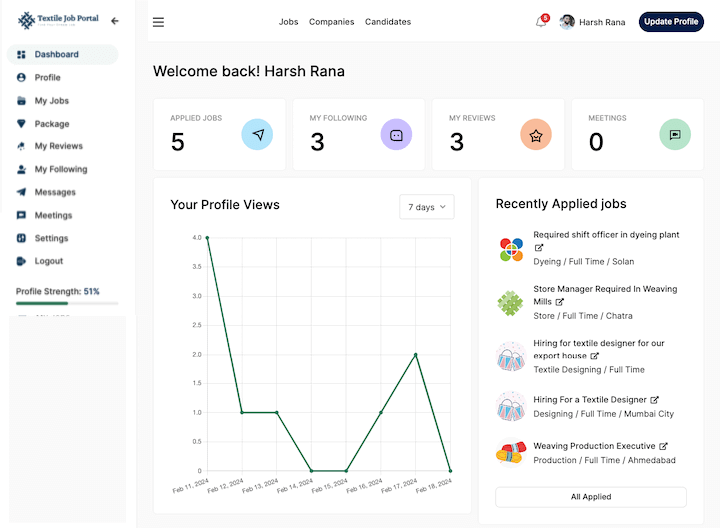
All following companies
When you click on the My Following option from the main menu you will redirect to the “My Following” page, where you can see all the companies you follow as shown in the below image.
In this section, you can view the company name, category and location, the date of foundation, and more options.

Find a company using a search bar & filter
If your list of followed companies is long, you can easily find specific companies using the search and filter options. Simply type in a company name or keyword into the search bar and hit enter.
Alternatively, you can sort the list of followed companies by using the “sort by” filter. This allows you to arrange the list from newest to oldest or oldest to newest.”
For example, in the below image, we have to enter the keyword “clothing” and press enter.
Here is the result.

Delete the company from your following list
If you want to stop receiving notifications from a company, you can easily remove it from your following list. To do this, click on the three-dot option and select “delete”. This action will successfully remove the company from your following list.

I hope this tutorial finds you well. If you have any questions, feel free to leave them in the comment section below or contact us at company@textilejobportal.com.