
On the textile job portal, employers can invite candidates to apply for specific jobs. Candidates can manage invitations on their dashboard by viewing, applying, or deleting them.
How to manage the invitation
To manage an invitation on the textile job portal, follow the given steps.
- Login to your account and go to the dashboard.
- From the main menu, click on the “My Jobs” option.
- Here you can see the three tabs.
- Switch the tab “Invite”
When you switch the tab to “invite”, you will be directed to the “all invitation” page where you can view the job post. The job post will include details such as the department, job type, and location. On the right-hand side of the page, you will find the job post date and additional options.

Search bar and sort by filter
If you have a long list of invitations, you can easily arrange it by using the “sort by” filter. This filter allows you to sort the list from newest to oldest or from oldest to newest. Additionally, you can search for a specific invitation by entering a job title or a keyword in the search bar and pressing the enter key.
How to apply for the invite job?
If you are eligible and interested, applying for the relevant invitation is easy.
To apply for the invited job, follow the given steps.
- On the “All Invitation” page, go to the right-hand side and click on the three-dot option.
- You will see two options, delete and apply.
- I you want to apply for this job, click on apply.
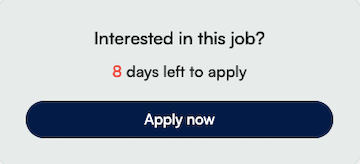
- You will be redirected to the job notification.
- Read the notification carefully, then click on the “apply” button.
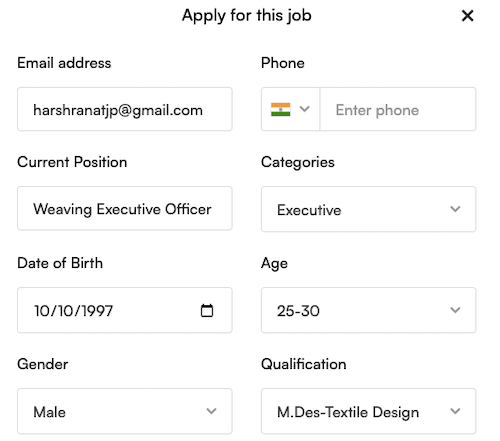
When you click on the “Apply Now” button, a new pop-up window will open. Here, you must enter all the required information, such as your email address, phone number, current position, designation, date of birth, age, gender, and qualifications.
If you have completed and optimized your profile to 100%, you won’t need to enter information manually.
Scroll down the popup.
Here, enter a short message about yourself or explain why you need this job or anything else you would like to add. After that, upload your resume and click on the apply button. Your job application will be successfully sent to the employer. You can check the status of your application by visiting the “My Jobs” section.

How to delete an invitation?
If you are not interested in the job or wish to decline the invitation, please follow the steps below to delete your invitation.
- On the “All Invitation” page, go to the right-hand side and click on the three-dot option.
- You will see two options, delete and apply.
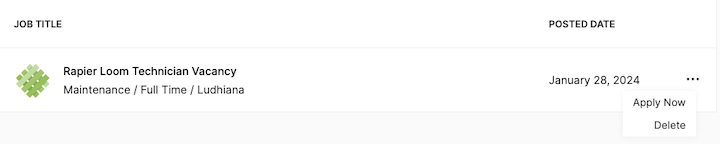
To delete the invitation from your list, please select the ‘delete’ option. Once done, you will receive a confirmation that the invitation has been successfully deleted.
I hope this tutorial finds you well. If you have any questions, feel free to leave them in the comment section below or contact us at company@textilejobportal.com.