
To access the complete services and features offered by Textile Job Portal, all employers are required to create an account. This account will provide them with access to a dedicated dashboard, which they can use for job postings and other relevant tasks.
Here is the complete step-by-step guide to creating an account on Textile Job Portal.
Method 1
- In the main header, click on the login button.
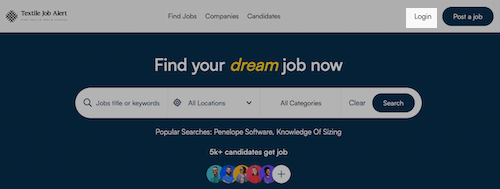
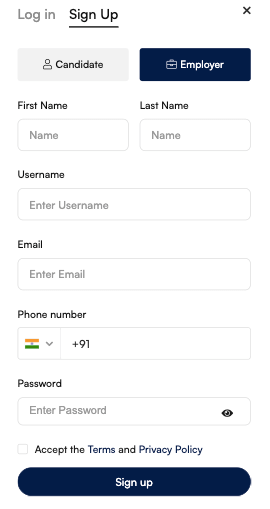
- A popup window will open. Click on signup.
- Selected the employer tab as shown in the below image.
- Enter your first name, last name, username, email address, phone number, and password.
- Accept the privacy policy and terms of conditions. (We recommend you read the policy and terms of use before using the service.)
- Click on sign up.
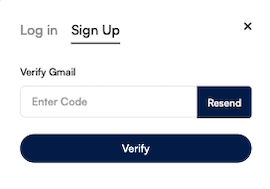
- After clicking on sign up, a new popup window will open. You’ll need to enter the OTP code received by email to verify the email address.
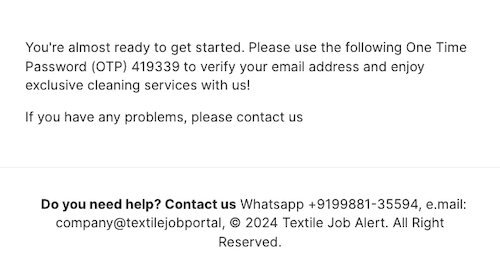
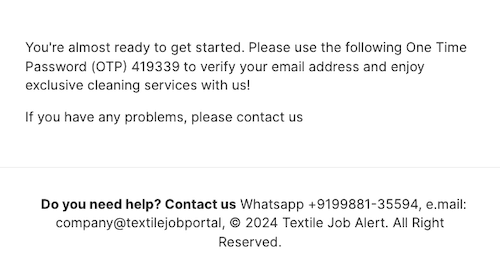
- Here is an example of an email that you receive, copy the OTP code and paste it into the email confirmation box.
- Click on “verify”.
- You have successfully created an account! However, please note that your account is currently under approval. Our team will review the information you provided to ensure that it is relevant. Please keep in mind that we only accept textile companies, as it is mandatory for us.
- It will take up to 24 hours to approve or decline the account, you can get an email on your registered email address.
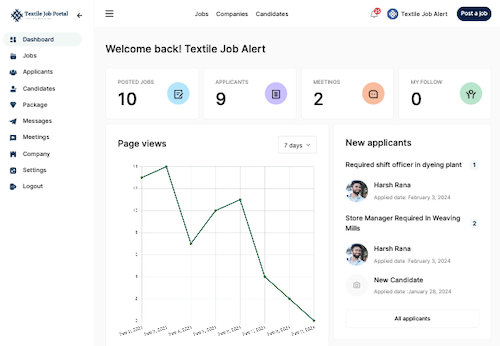
- After your account is approved, you will be logged in and taken to the employer dashboard where you can manage your profile, job postings, candidate hiring, meetings, interviews, and follow-ups.
Method 2
- In the main header click on the “post a job” button.
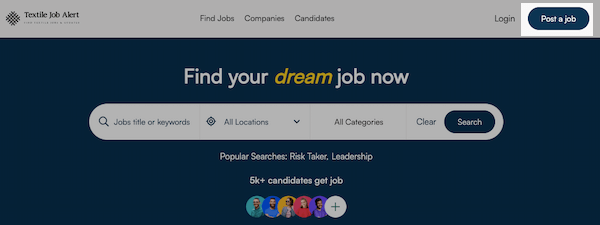
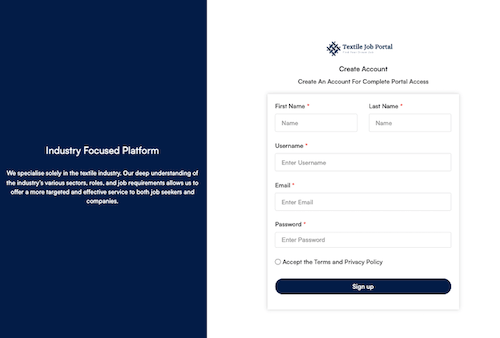
- You will be reached on the Employer Registration page.
- Here you have to enter the required details such as first name, last name, username, email address, phone number, and password.
- Accept the privacy policy and terms of conditions. (We recommend you read the policy and terms of use before using the service.)
- Click on sign up.
- After clicking on sign up, a new popup window will open. You’ll need to enter the OTP code received by email to verify the email address.
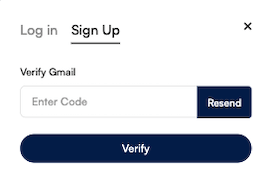
- Here is an example of an email that you received, copy the OTP code and paste it into the email confirmation box.
- Click on “verify”.
- You have successfully created an account! However, please note that your account is currently under approval. Our team will review the information you provided to ensure that it is relevant. Please keep in mind that we only accept textile companies, as it is mandatory for us.
- It will take up to 24 hours to approve or decline the account, you can get an email on your registered email address.
- After your account is approved, you will be logged in and taken to the employer dashboard.
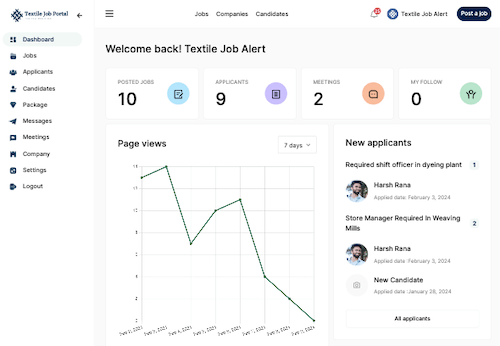
- From your personalized dashboard, you can manage your profile, job posting, candidate hiring, meetings, messages, interviews, and other related follow-ups.