
A textile job portal aims to simplify and streamline the job application process for candidates. It provides a dedicated section for managing all job applications, allowing candidates to easily track and update their application status. This ensures that candidates stay informed and up-to-date throughout the application process.
Quick link section
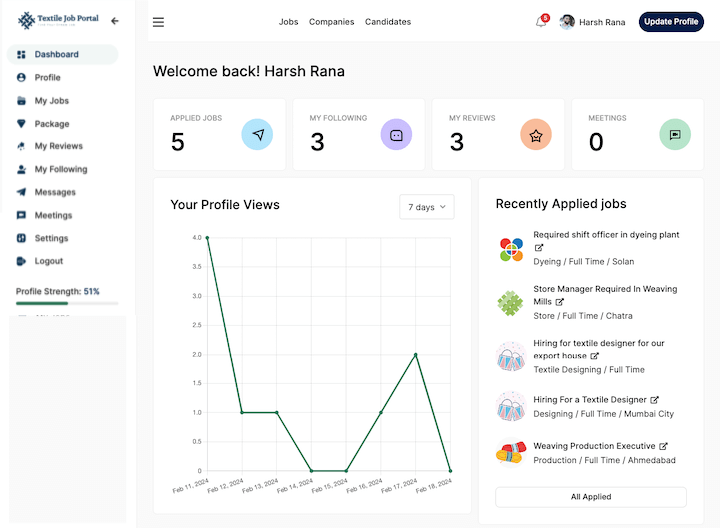
On the candidate dashboard, you can easily access the page that shows all the jobs you have applied for, with the help of this tutorial. The main section in below image containig four links is called the “Quick Link” section and the first option is “Applied Jobs”. It will display the number of jobs that you have applied for.
Recently applied jobs list
On the right side of the page, you will find a list of the recently applied jobs along with a brief summary of each job, including the job title, department, job type, and location. If you want to know more about any of the jobs, you can simply click on the job title to view the job notification.
All applied jobs section
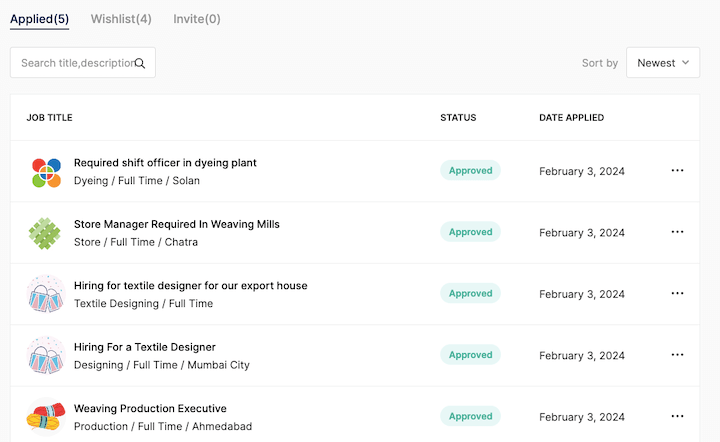
To access the section where you can view all the jobs you have applied for, start by clicking on the “my jobs” option located on the left-hand side menu bar. This section will contain a list of all the jobs you have applied for, as well as any jobs you have added to your wishlist, and any invitations you may have received.
Search jobs by using filters
If you have applied for multiple jobs, you can search them by job title or description. Also, users can sort jobs with the newest and oldest filters on the right side.
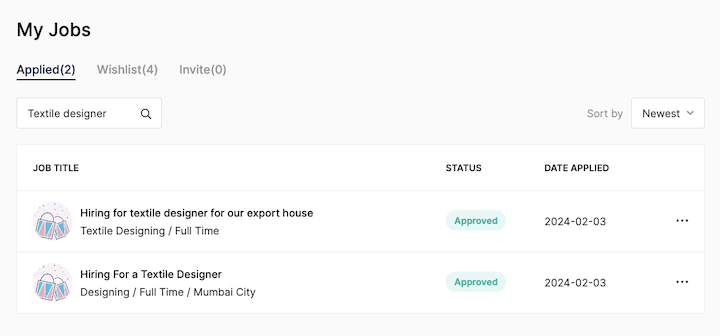
For example, In the image below, I recently applied for a job as a textile designer. I enter a keyword “Textile Designer” in the search bar and press enter.
Here is the result, there are two job openings for textile designers that I applied for.
List Metadata
The next thing you should understand is the metadata list, which contains basic but necessary information about your applied jobs. Let’s go through them one by one.
- Job tile:- Job title represents the main job position advertised by an employer.
- Status: – When you submit a job application, it goes to the employer’s review box for them to review and verify. If your application is approved, the status will change to “Approve” as shown in the image below. However, if your application is not approved, the status will remain as “Pending”.”
- Date Applied:- It shows when you applied on this job post.

How to delete applied job post?
Candidates have the option to remove a particular or unnecessary job post from the list of all applied jobs. To do this, click on the three-dot icon, as shown in the image below. You will see a “delete” option, click on it.
However, please note that deleting a job post will only remove it from your end, and not from the employer’s records, once you have already applied for a job.
I hope this tutorial finds you well. If you have any queries, feel free to contact us at company@textilejobportal.